
Joel's Computer Project
| Home | www | Parts | www | Assembly | www | Setup |
| Step 1 Drive Cage |
www | Step 2 Custom Cables |
www | Step 3 Case Modification |
www | Step 4 Motherboard |
www | Step 5 Making Connections |
Step 1: Drive Cage
Enough of the parts have come in to get started but not enough to finish. I opened each package as they arrived to make sure they were what they were supposed to be. The first thing I noticed about the case was that some of its parts were the wrong color. Clearcomputercase.com makes clear cases and also translucent cases in black, blue, red, green, and orange. Three of the fan guards and the rear I/O panel were translucent blue instead of clear.
No big deal since most of the other parts hadn't showed up yet. I emailed customer service to let them know and asked them to send me the clear pieces. Well, Neal Taylor from customer service sent me this email:
Joel,
The fan guards have a blue protective film covering.
Please see the "Special Note" on the instruction sheet included with your
case.
-snip-
So I checked

and yes...

Well, at that point in the project I still hadn't received half the parts yet, including the motherboard, CPU, hard drives, etc. I don't know if they keep track of these things but considering where I was in the project, I think I set the record for the earliest RTFM ever.
With that crisis averted, it was time to start putting the pieces together. I decided to start with something easy, like mounting the case fans. Once I figured out which way they go it was pretty easy. The only thing I didn't like was that they would only mount label side out.
 |
 |
Also, notice the fans' power cords. I bought these fans from FrozenCPU. They'll custom sleeve cables for a little extra money. I'll have to sleeve some of the cables myself, but I figured it would be good to get them to do as many as possible, especially the power supply, which I didn't want to do myself. Remember, I want this computer to look good. I'll say more about custom sleeving when I actually get to it in the project.
 Rear |
OK, the fans are mounted now. |  Front |
| BTW, the case came with a few things already installed (power switch, reset switch, power led, hdd led, & usb ports). I'll have to sleeve these myself. |  |
This would be a good time to apologize for the quality of some of the pictures you're going to see. I got a new digital camera to document this project and I'm not real swift with it yet.
Next I decided to mount the floppy drive. The case came with a clear 5-1/4" to 3-1/2" bay adapter for the drive. I mounted the adapter to the drive. Then I mounted the floppy drive standoffs to the sides of the drive, then mounted the whole thing to the drive cage. One thing I really like about this case is that the entire drive cage is removable.
 |
 |
 |
 |
 |
 |
Once I got comfortable with the case, it was time to mount other stuff into the drive bays (DVD drives, fan controller, hard drives). The case came with a single and a double bay blank, I used them. The double is just abouve the floppy drive and the single is up top where the cupholder will go when it finally gets here. And yes, that's brown protective tape over the fronts of the bay blanks. I saw that with my own eyes--didn't even have to call tech support.
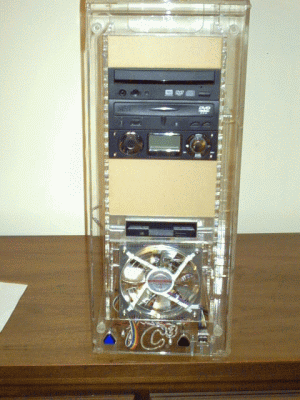
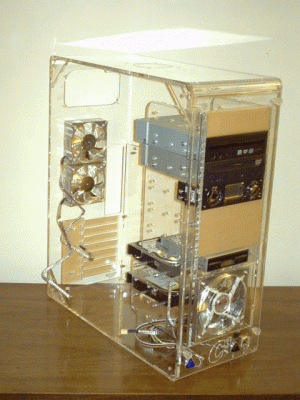
So here's how the drive cage looks with most of its components installed.
 |
 |
 |
 |
And then after reinstalling the cage into the case
 |
 |
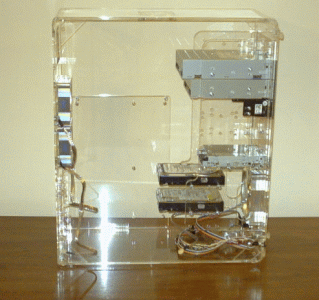 |
This is pretty much as far as I could go at this point. After remounting the drive cage, I layed the case down on its side and temporarily placed the motherboard into the case. I checked each cable I was going to need. I pretty much have all the cables I'll need since most things came with them, but instead of using those big ribbon cables, I'm going to get rounded cables for two reasons. First, I can get them in just about any color, and second, rounded cables promote better airflow. For the cables I can't order, I ordered custom sleeving and heat shrink. I just ordered those since I couldn't until I knew what lengths I'd need. So, I'm pretty much at a standstill until they arrive. I ordered them from FrozenCPU and they ship pretty quick so I expect them in a few days. I'm going to wait for them before moving on since I plan to sleeve the CPU fan's power cord, otherwise I'd mount the motherboard.
| Assembly | Step 2
F Custom Cables |